Still Managing Accounting Manually? Let's Automate it!
Here is the Solution to Automate Bank Statements, Sales, Purchases and Loan Statements to Tally, with Invoices coming soon.
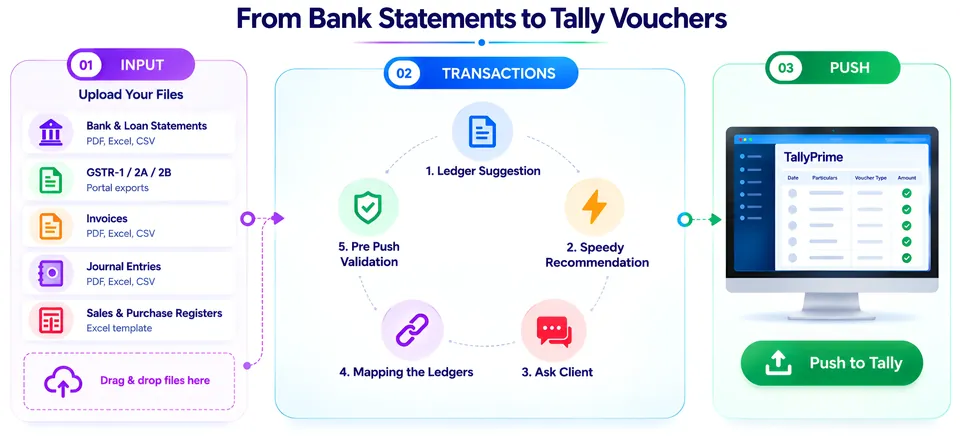
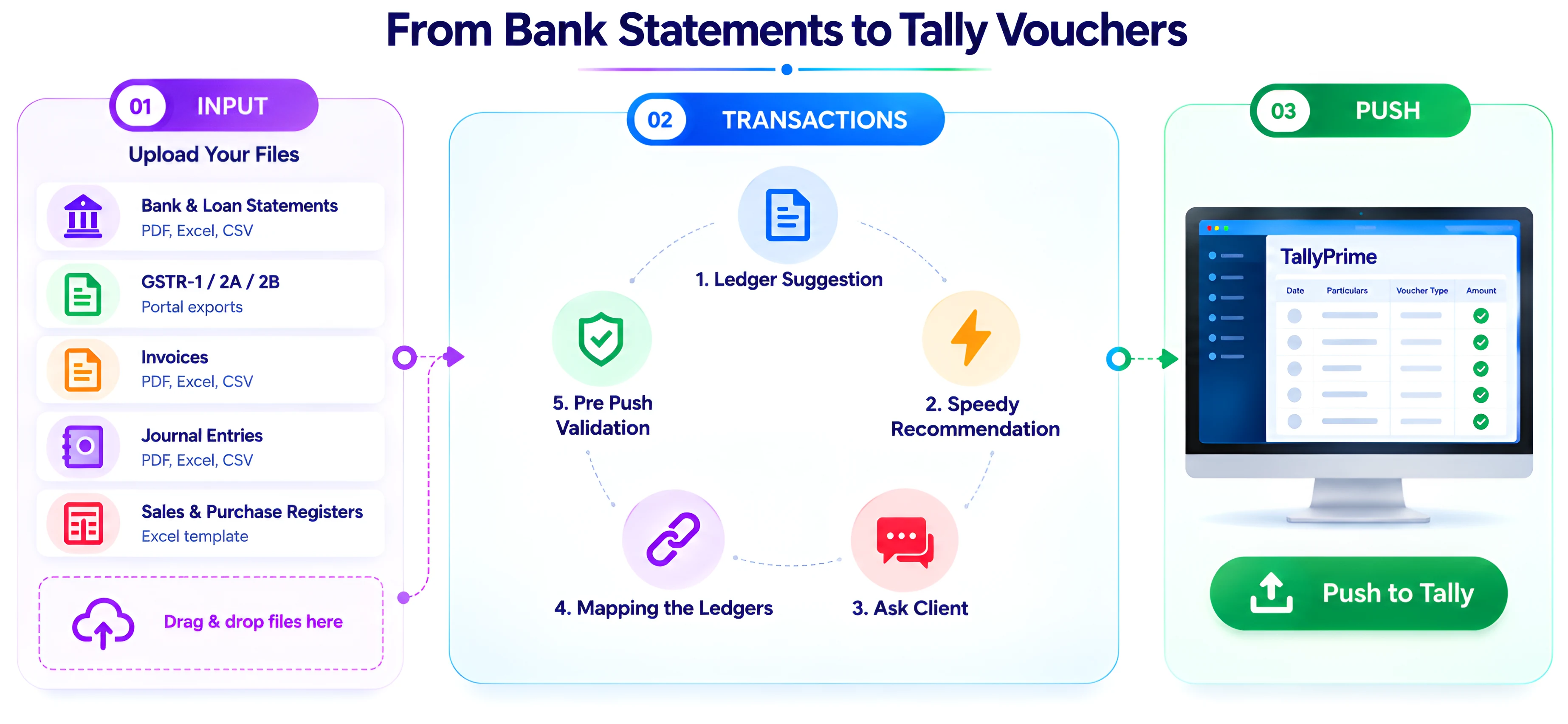
What you can do with Your AI Accountant
Statements from Indian banks
Reads PDF, Excel and CSV statements from major and regional Indian banks. The entries land on a review screen, so you do not type them again.
GSTR-1, GSTR-2A and GSTR-2B
Prepare sales and purchase vouchers from supported GSTR-1, GSTR-2A and GSTR-2B exports, and review them before they go to Tally. GST reconciliation and return filing are not part of this.
Ledger suggestions from your Tally
Suggestions come from your client's own Tally ledgers and the mappings you have saved: exact, case, alias and close-spelling matches, each checked against the ledger's Tally group. You accept or change every one.
Pre-Push Validation
Before a push, the app flags missing ledgers, possible duplicates and incomplete voucher details, so you can fix them first.
Push to Tally
Push reviewed vouchers to TallyPrime through the Tally Connector Chrome extension on the Windows computer running Tally, with live progress. To correct a pushed voucher, use Unmark Pushed, edit it and push it again.
Ask Client
Not sure what a payment was for? Send the client a question through a secure link. They answer without installing anything, and the reply appears against the transaction in your dashboard.
From file upload to Tally in four steps
Add your client
Install the Tally Connector Chrome extension on the Windows computer running Tally, then pull your client's company and ledgers into the app.
Upload your files
Add bank or loan statements (PDF, Excel or CSV), purchase or sales registers, or supported GSTR exports.
Review the entries
Check the suggested ledgers, correct any that are wrong and approve the vouchers. Suggestions come from rules and the mappings you have approved before.
Push to Tally
Confirm the Tally company, then push the approved vouchers through the Tally Connector.
Plans and pricing
Free 14-day trial · Plans from ₹1,000/year + 18% GST
Free trial
14 days
500 voucher credits · 1 client. No credit card.
Plans from
Regular price ₹2,000
₹1,000/year + 18% GST
5,000 prepaid voucher credits. No subscription, no auto-renewal.
Launch offer: 50% off all plans until 31 December 2026
View plansTry it on one client's records.
- We cannot delete anything in your Tally
- We never connect to your bank
- Nothing reaches Tally until you approve it