Everything you need to prepare and review Tally vouchers
Bring in transactions from bank and loan statements, purchase and sales registers, and supported GSTR-1, GSTR-2A and GSTR-2B exports. Ledger suggestions come from rules, your client's existing Tally ledgers and the mappings you have saved. You check every voucher before it is pushed.
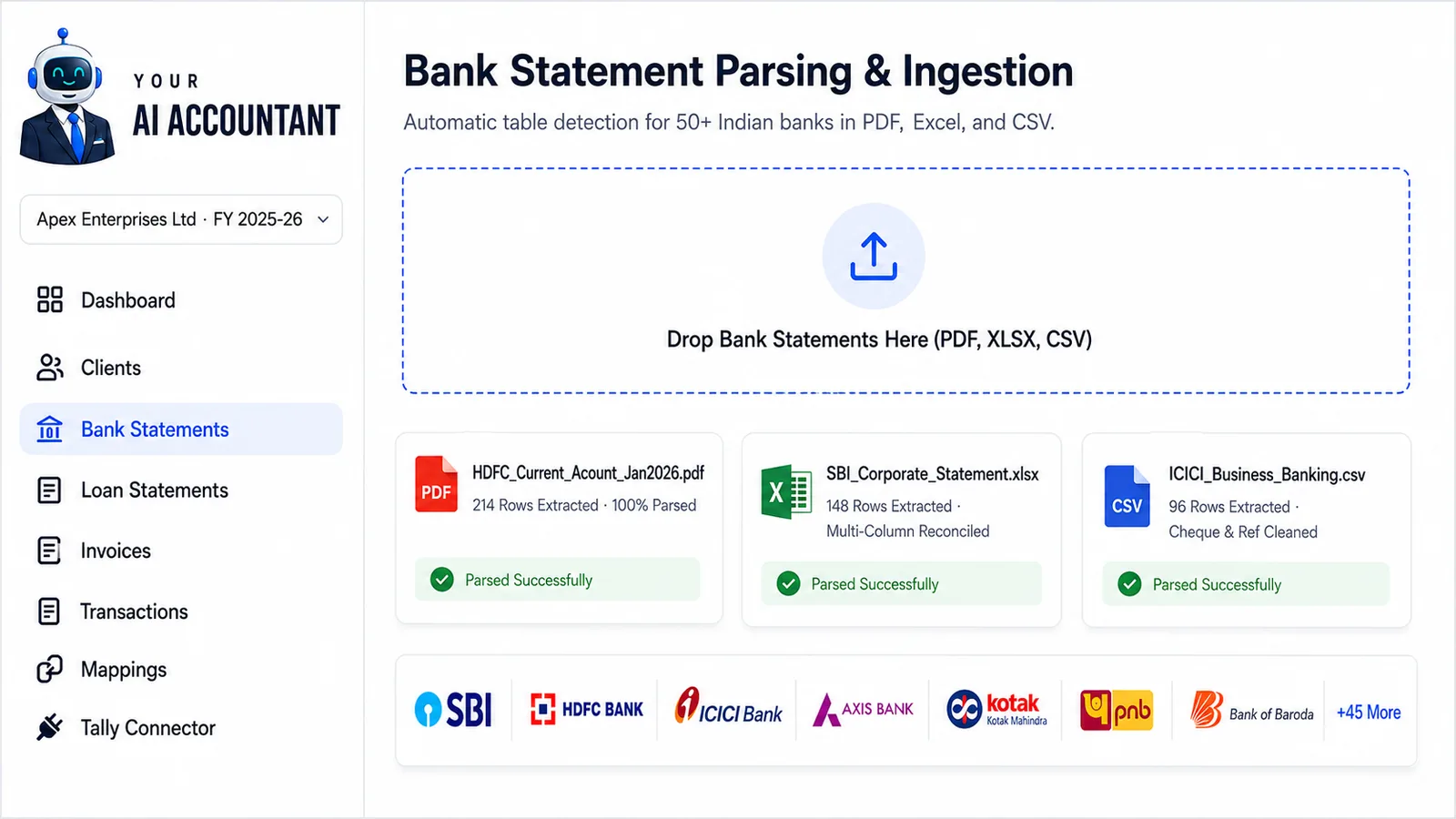
Read bank and loan statements
Upload bank or loan statements as PDF, Excel or CSV. Dates, narrations, references and amounts are extracted into a list you can review.
- Supports PDF, Excel (.xlsx, .xls) and CSV statements
- Reads statements from SBI, HDFC Bank, ICICI Bank, Axis Bank, Kotak, IndusInd and other Indian banks
- Detects the columns of common layouts on its own, so there is nothing to map by hand
- Password-protected PDF or Excel file: type the password once and the file is opened; multi-page statements are read in full
Prepare vouchers from GST exports
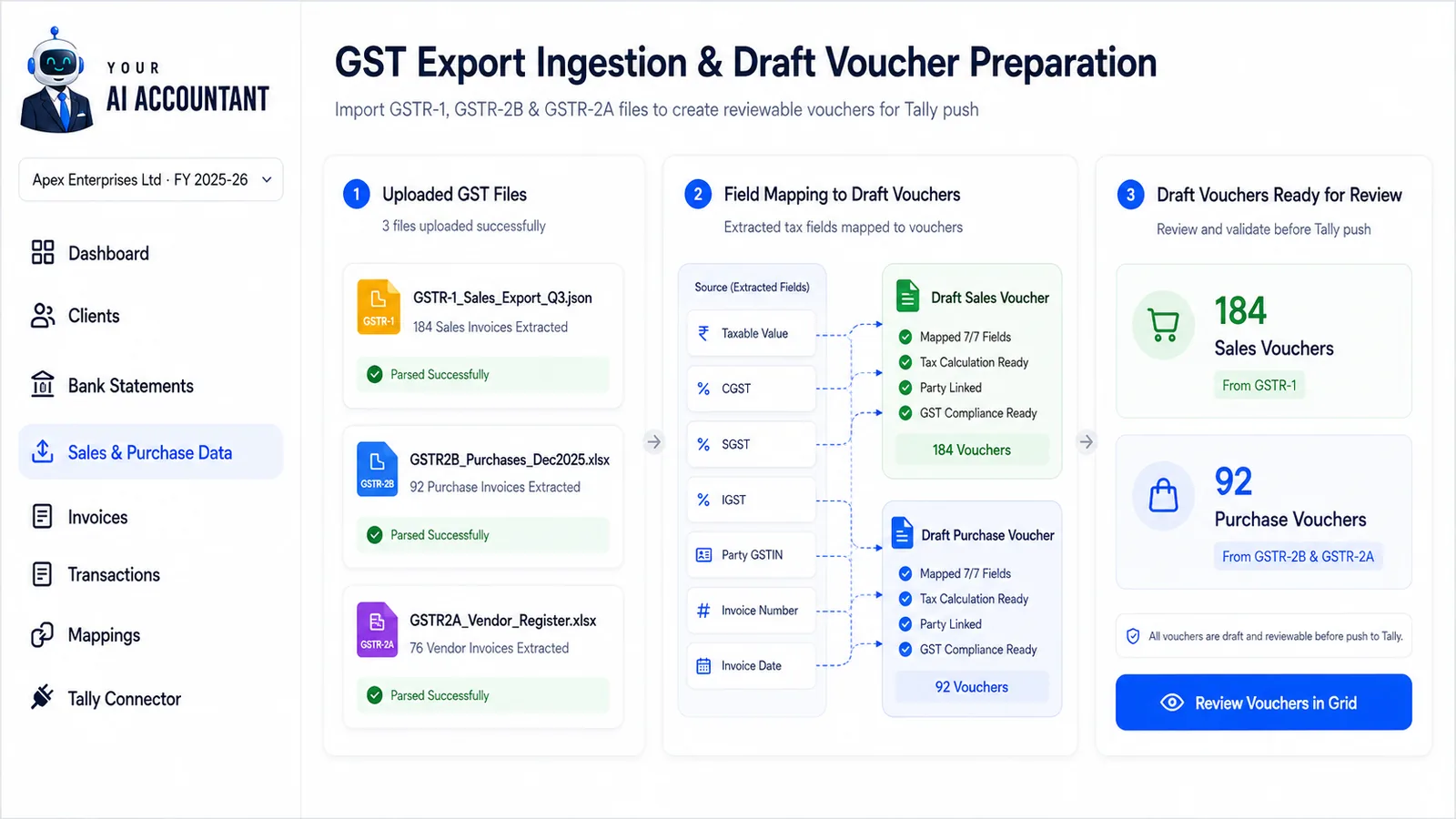
Import supported GST portal exports to prepare sales or purchase vouchers. You review each one before it goes to Tally.
- Supported GSTR-1 exports become sales vouchers
- Supported GSTR-2B and GSTR-2A exports become purchase vouchers
- Purchase and sales registers (.xlsx or .xls, in our template) work the same way
- Check the party, ledger, taxable value and tax fields before you approve
- This prepares accounting vouchers only. It does not reconcile returns, decide ITC eligibility or file GST returns
Invoice processingComing soon
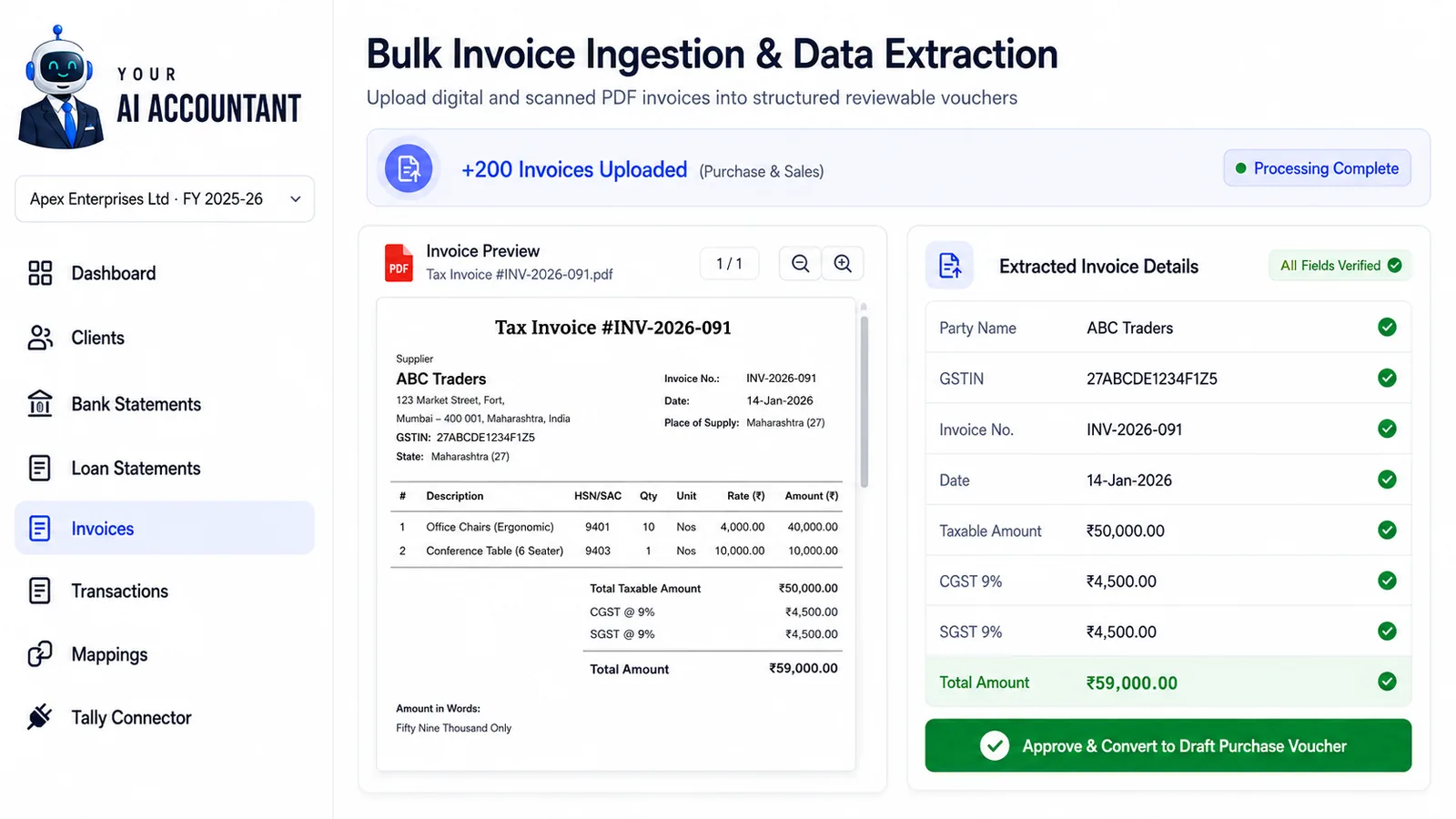
Upload purchase and sales invoices and their details are read into draft vouchers for you to review, instead of typing them in.
Not available yet. It is on our roadmap and is not included in any plan you can buy today.
- Upload a batch of purchase or sales invoices at once
- Reads party name, GSTIN, invoice number, amounts and tax breakup
- Works with digital PDFs, scanned PDFs and photos of invoices (JPG, PNG)
- Review and correct the draft, then push it to Tally as a voucher
Speedy Recommendations
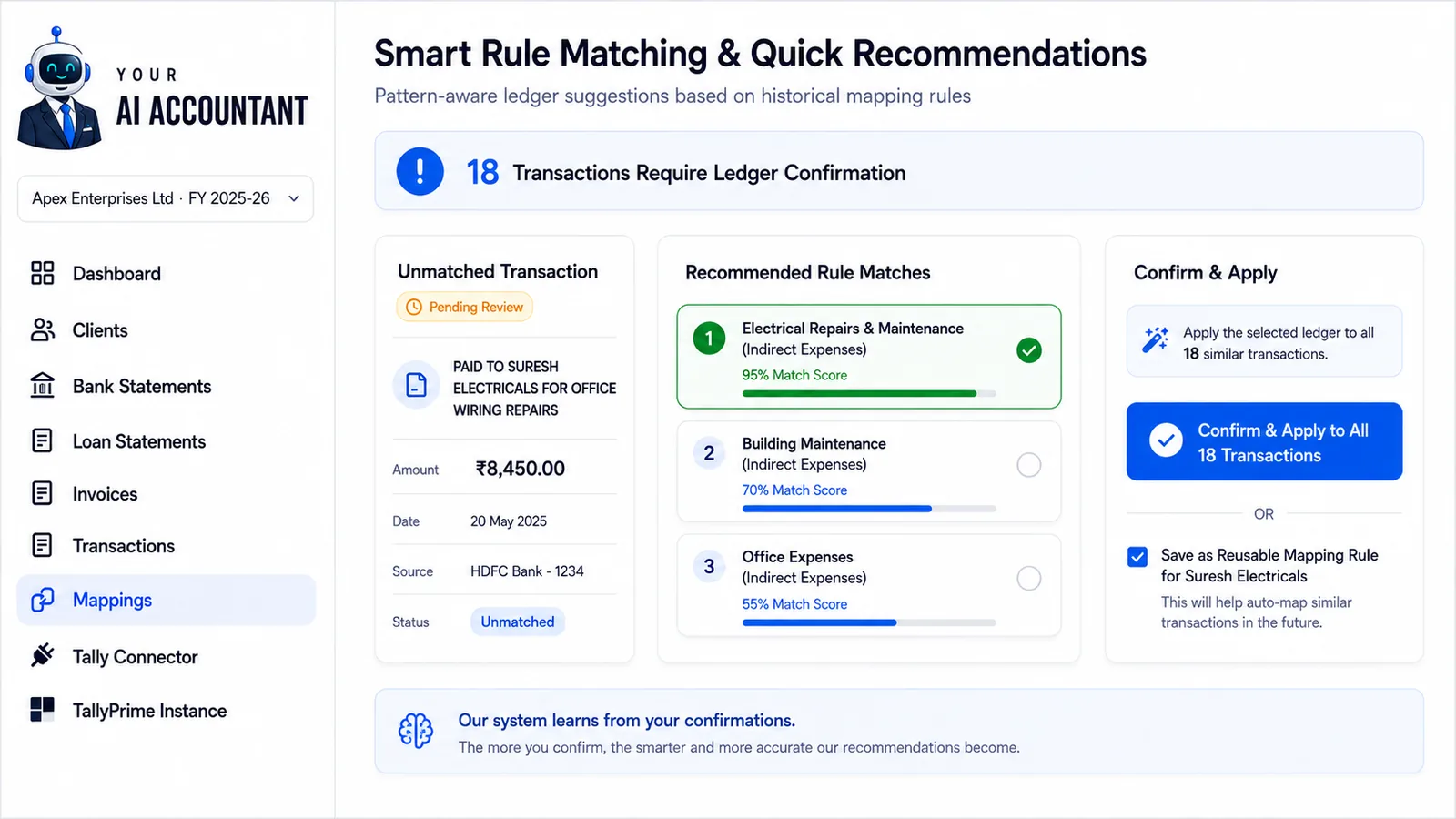
When an entry does not match a saved rule, Speedy Recommendations checks its narration against your client's ledgers and suggests possible matches. You decide which ledger to use.
- Rule-based checks for Unmapped entries, in the order shown in the ledger matching section below
- Suggests a Tally ledger from the narration and amount patterns
- Your saved corrections feed future suggestions
- Categorise many Unmapped entries at once
Match transactions to existing Tally ledgers
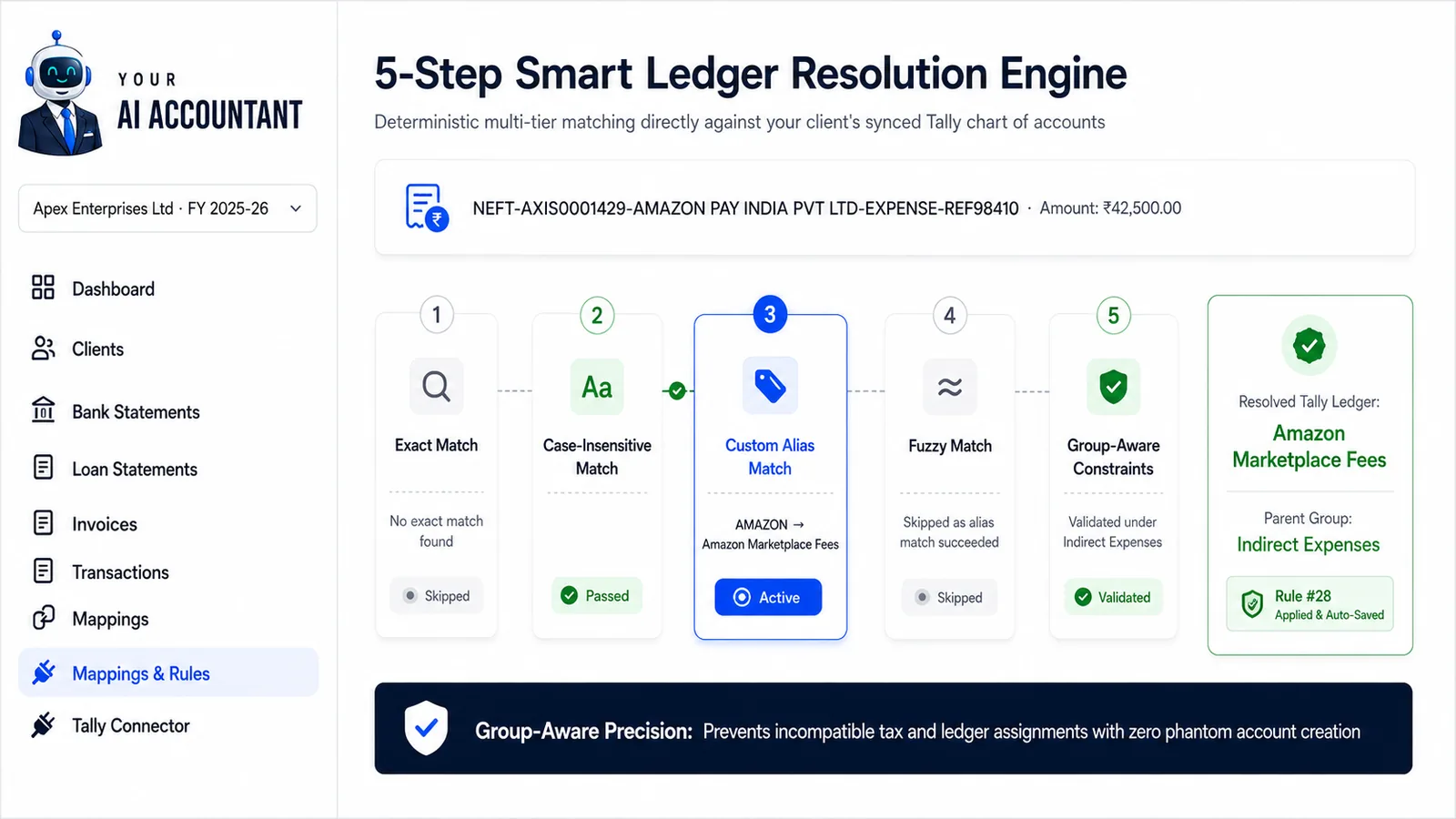
Finds the ledger with five checks in turn: exact, case-insensitive, alias and close-spelling matches, then the ledger's Tally group. It never creates a ledger on its own.
- In order: exact match → case-insensitive → your aliases → close spellings → Tally group check
- Group checks help avoid suggesting the wrong kind of account or tax ledger
- Save aliases, for example “Airtel” always maps to “Telephone Expenses”
- Add a wrong pairing to the Blacklist and it is not suggested again
Ask Client: clear up unidentified entries
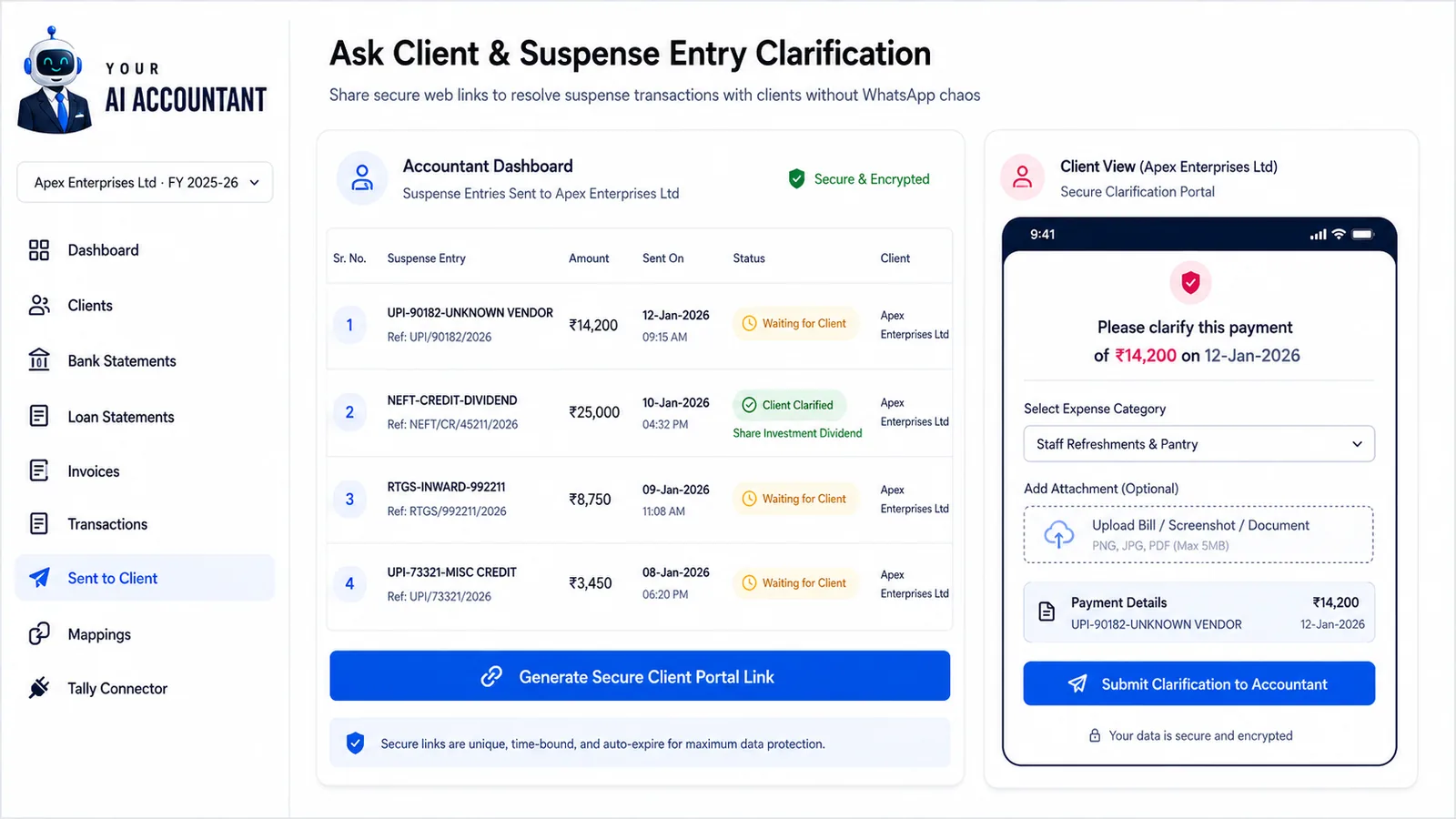
Select a transaction you cannot identify and send the client a question through a secure link. They answer without creating an account, and the reply appears against the entry in your dashboard.
- Ask about unidentified or suspense transactions
- The client opens a secure link; no app or account is needed
- Need a statement instead? Send a client upload link and the client uploads the file directly
- Replies appear against the entry; uploaded statements are processed like your own uploads
Work with your accounting team
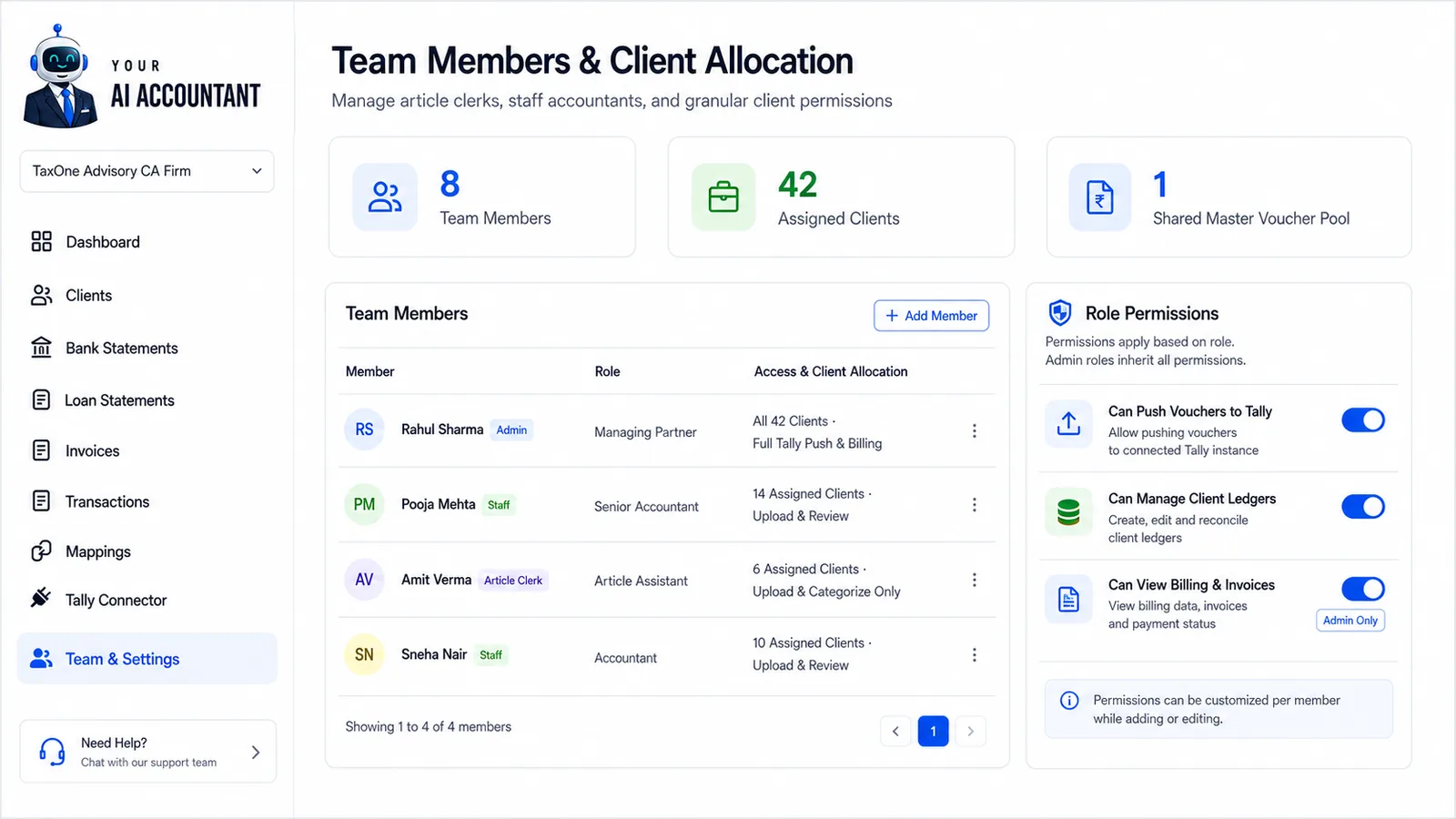
Built for accounting firms. The account owner manages the plan, and staff work on the clients assigned to them.
- Invite members and set their permissions from Settings
- Choose which clients each member can access
- Vouchers created by staff use the firm's shared credits
- Up to 10 team members on any paid plan (not part of the free trial)
Check vouchers before they reach Tally
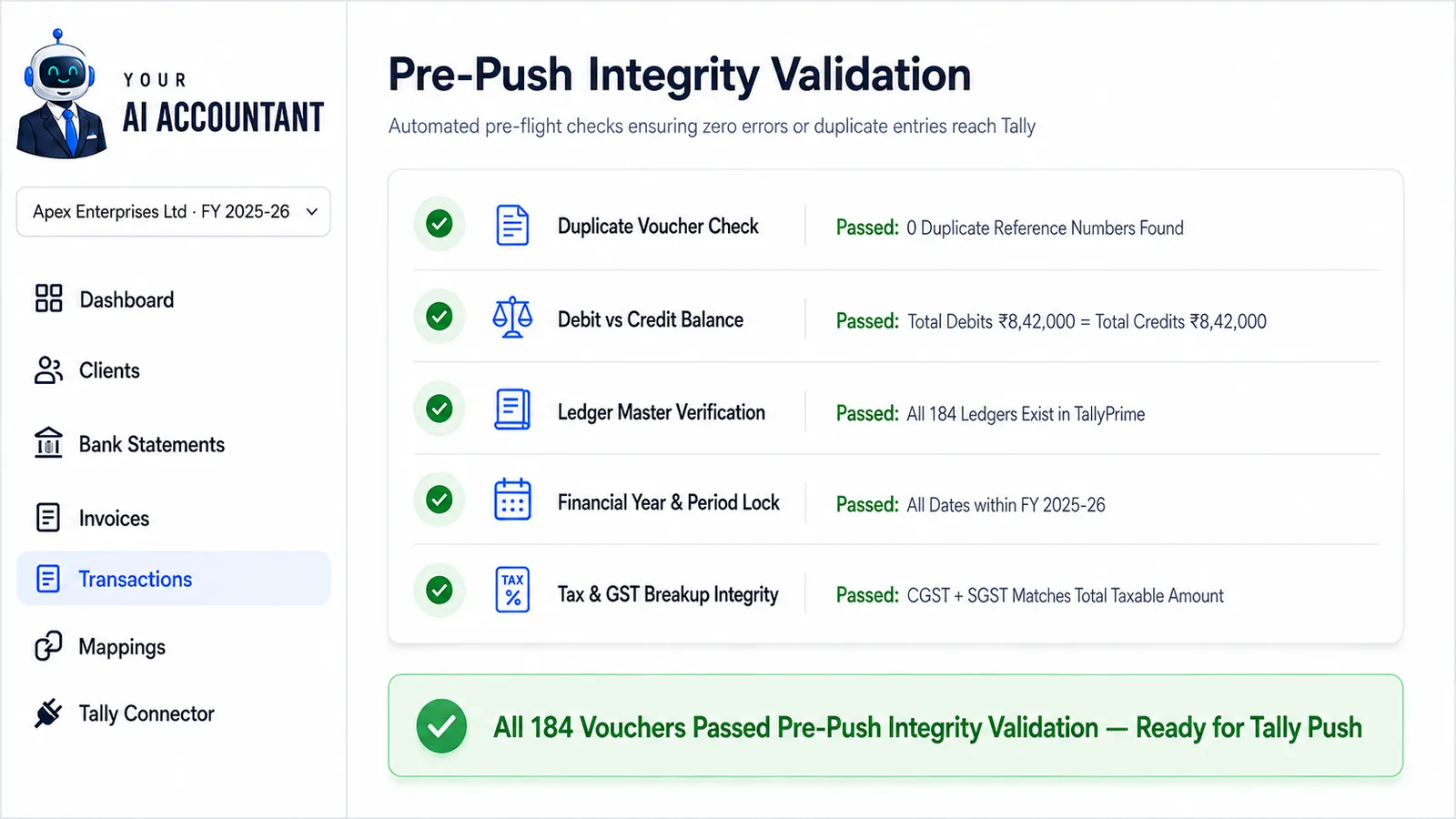
Pre-Push Validation checks every voucher before it is pushed, so problems are fixed here rather than in Tally afterwards.
- Catches missing ledgers, possible duplicates and period-lock issues
- Flags arithmetic and tax-field mismatches within a draft voucher
- A missing ledger is never created on its own. Fix Issues lists it; once you confirm its group (and, for bank and tax ledgers, their details), it is created in Tally when you push. Provision, investment and fixed-asset ledgers you create in Tally yourself
- Each issue comes with a plain description and how to fix it
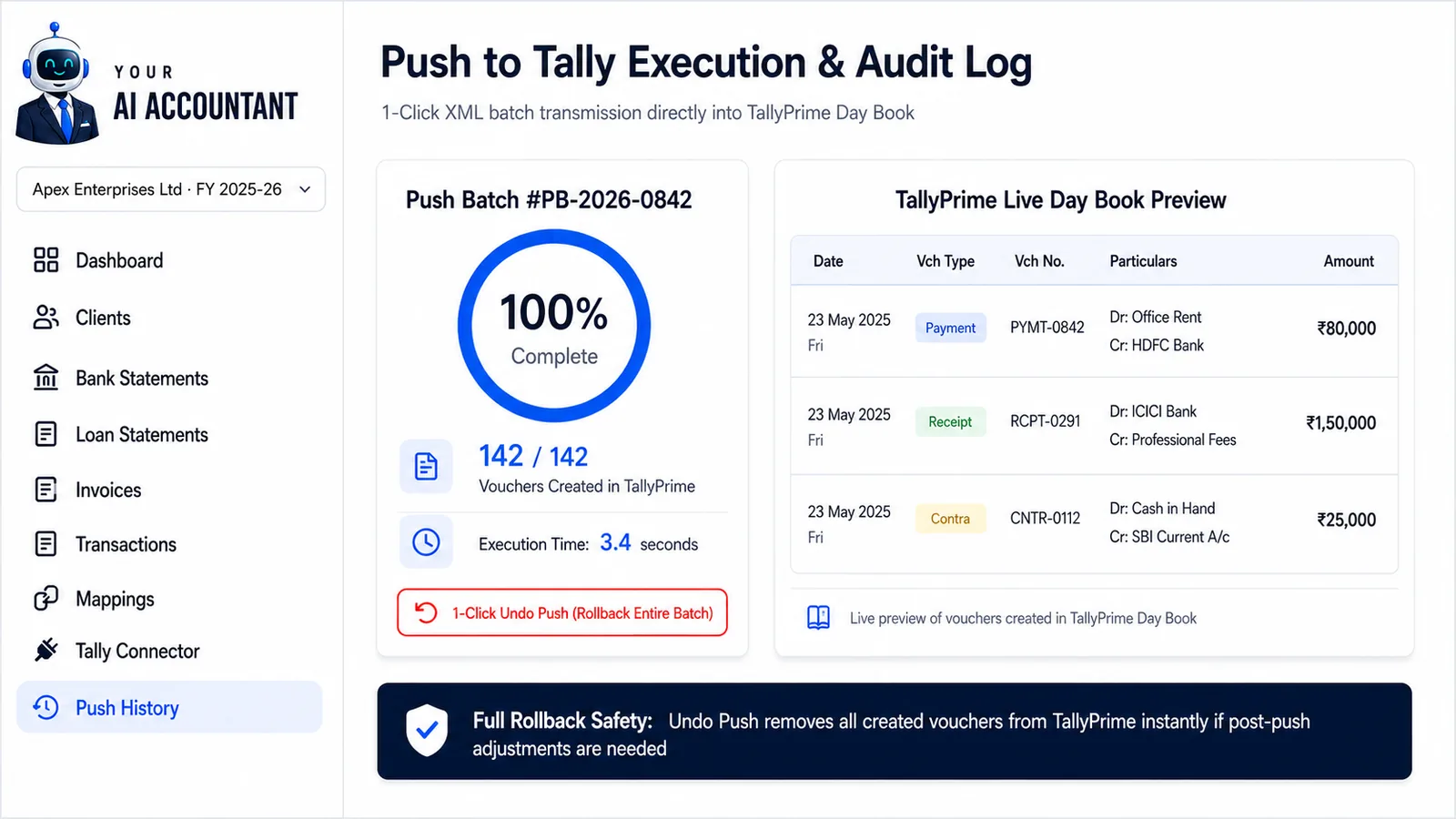
Push approved vouchers and track each batch
Once you have reviewed the vouchers, confirm the company and push them through the Tally Connector in Google Chrome on the Windows computer running TallyPrime. The connector never deletes anything in Tally.
- One click pushes every approved voucher to Tally
- Vouchers go in batches of up to 50, with a live count of how many are done
- Writes Payment, Receipt, Contra, Journal, Sales, Purchase, Credit Note and Debit Note vouchers
- Every batch is logged in the push history
- To correct a pushed voucher, use Unmark Pushed, edit it and push again. This updates the same voucher in Tally rather than deleting it