How to Use Your AI Accountant
From connecting Tally to pushing approved vouchers — here is everything you need to know, step by step.
STEP 01 — LOCAL TALLY CONNECTOR
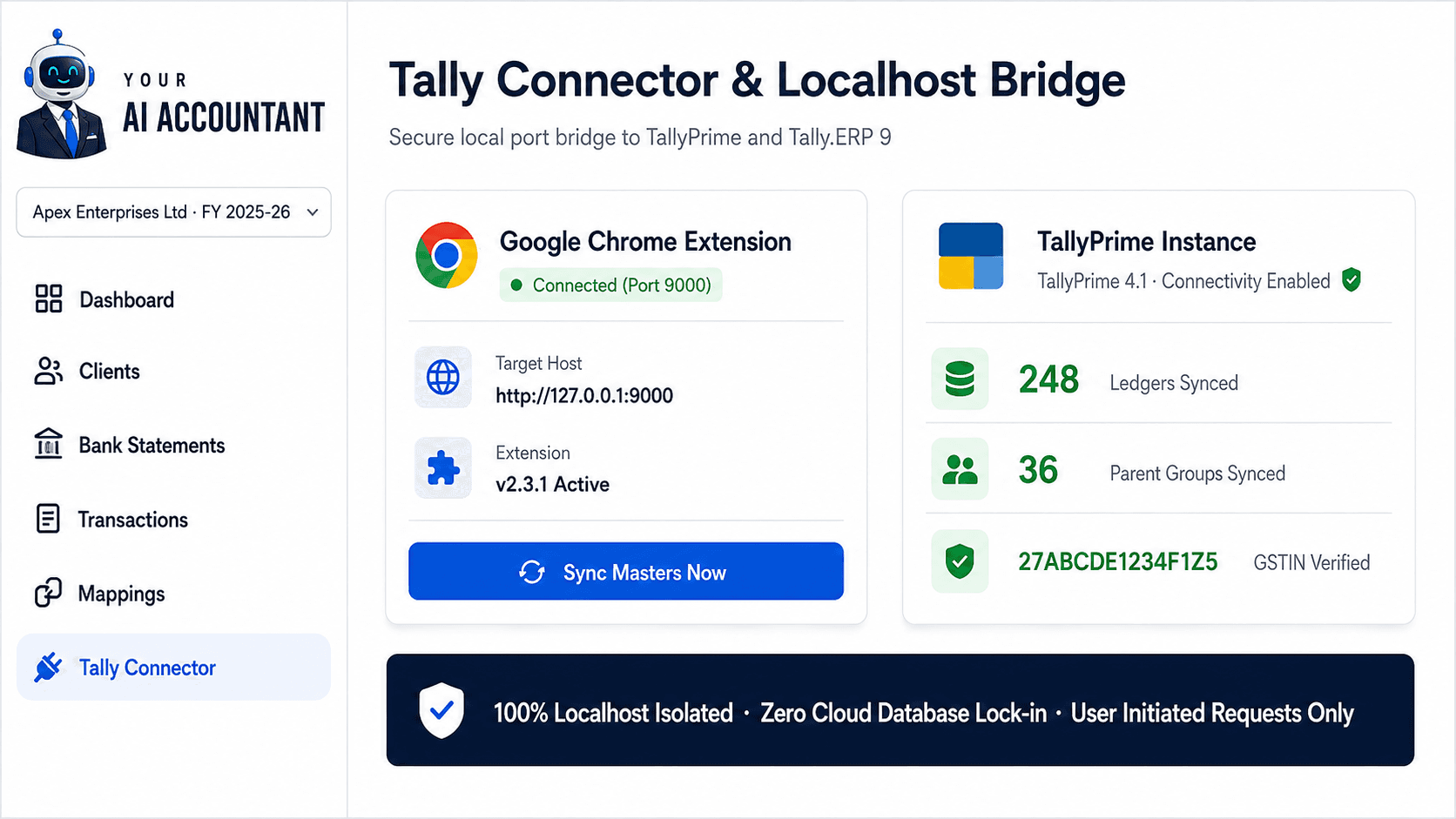
Connect Local Tally via Chrome Extension
No desktop software, Java runtimes, or manual XML exports. Our lightweight Google Chrome extension links directly to TallyPrime or Tally.ERP 9 running on your Windows PC.
- Runs locally over port 9000 with complete network isolation.
- 1-Click synchronisation of client companies, ledgers, parent groups, and GSTINs.
- Real-time connectivity indicator confirms your Tally status before processing.
- Exchanges data only when you initiate an action — zero background cloud daemons.
STEP 02 — MULTI-FORMAT INGESTION
Upload Bank Statements & Financial Files
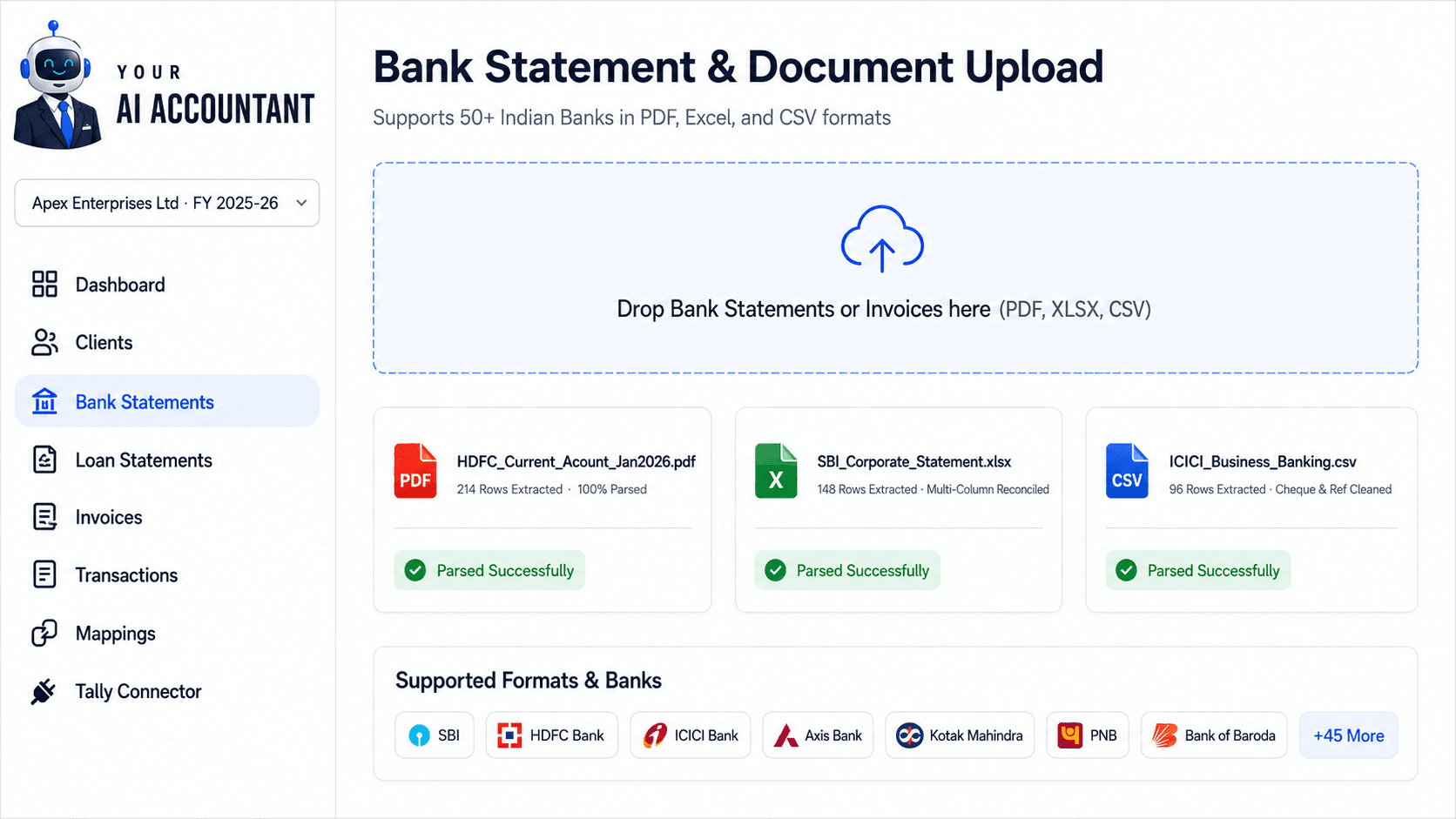
Parse financial statements from 50+ Indian banks, loan statements, or purchase and sales registers.
- Pre-configured parsers for PDF, Excel (.xlsx/.xls), and CSV bank statements.
- Auto-detects statement layouts — no template creation or column mapping needed.
- Extracts dates, full narrations, reference numbers, debits, credits, and running balances.
- Handles password-protected bank PDFs and multi-page statements seamlessly.
STEP 03 — 5-STEP RESOLUTION ENGINE
5-Step Smart Ledger Resolution
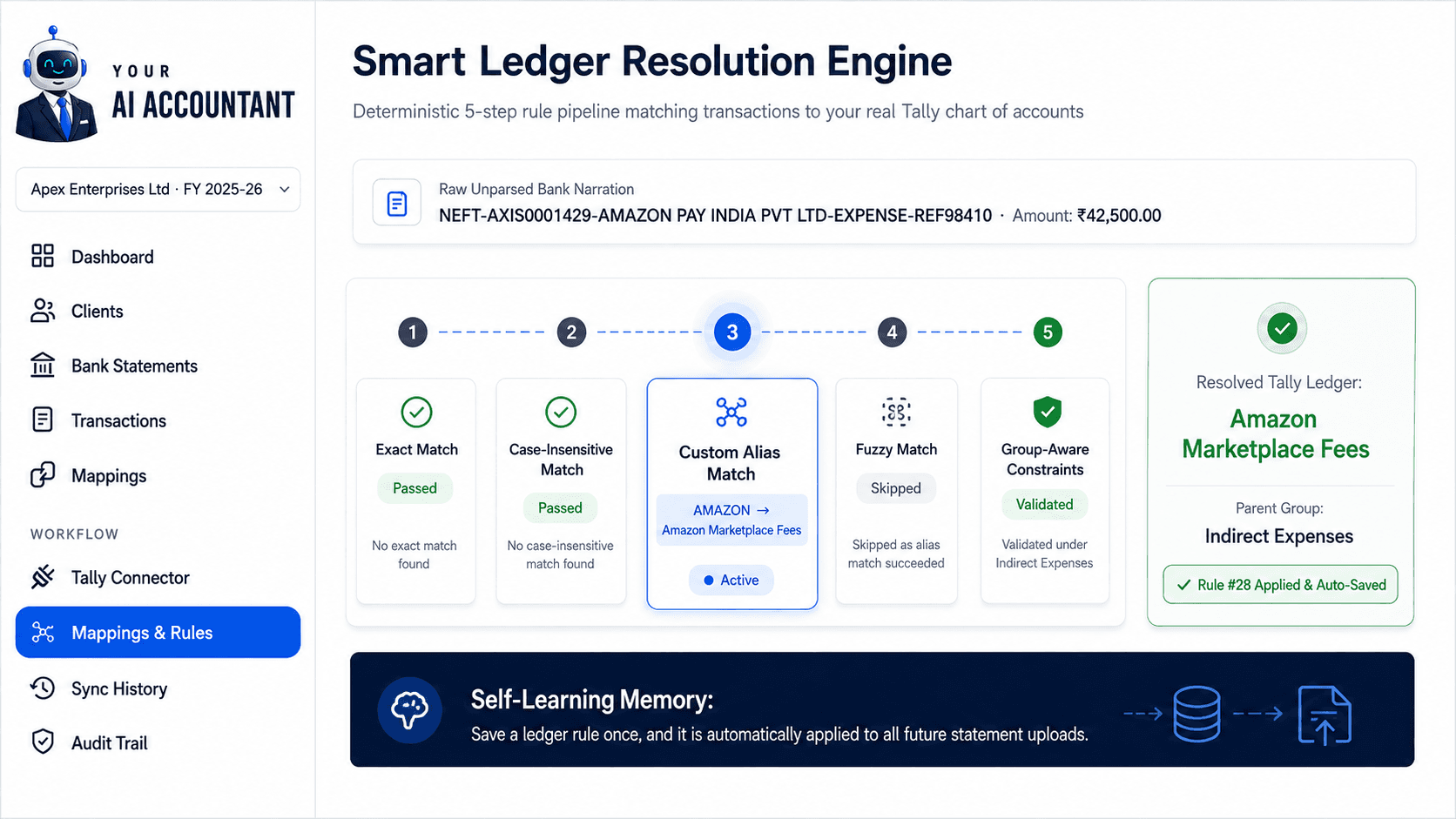
Our deterministic 5-step resolution flow maps raw bank narrations directly to your client's existing Tally chart of accounts.
- 5-Tier Resolution: Exact Match → Case-Insensitive → Custom Aliases → Fuzzy Match → Group-Aware rules.
- Maps strictly to your synced Tally masters — never invents unknown or phantom ledgers.
- Payment or Receipt set from the debit/credit side; Contra for cash and inter-bank transfers is yours to set.
- Reusable rule memory: fix a mapping once and it is automatically applied to all future uploads.
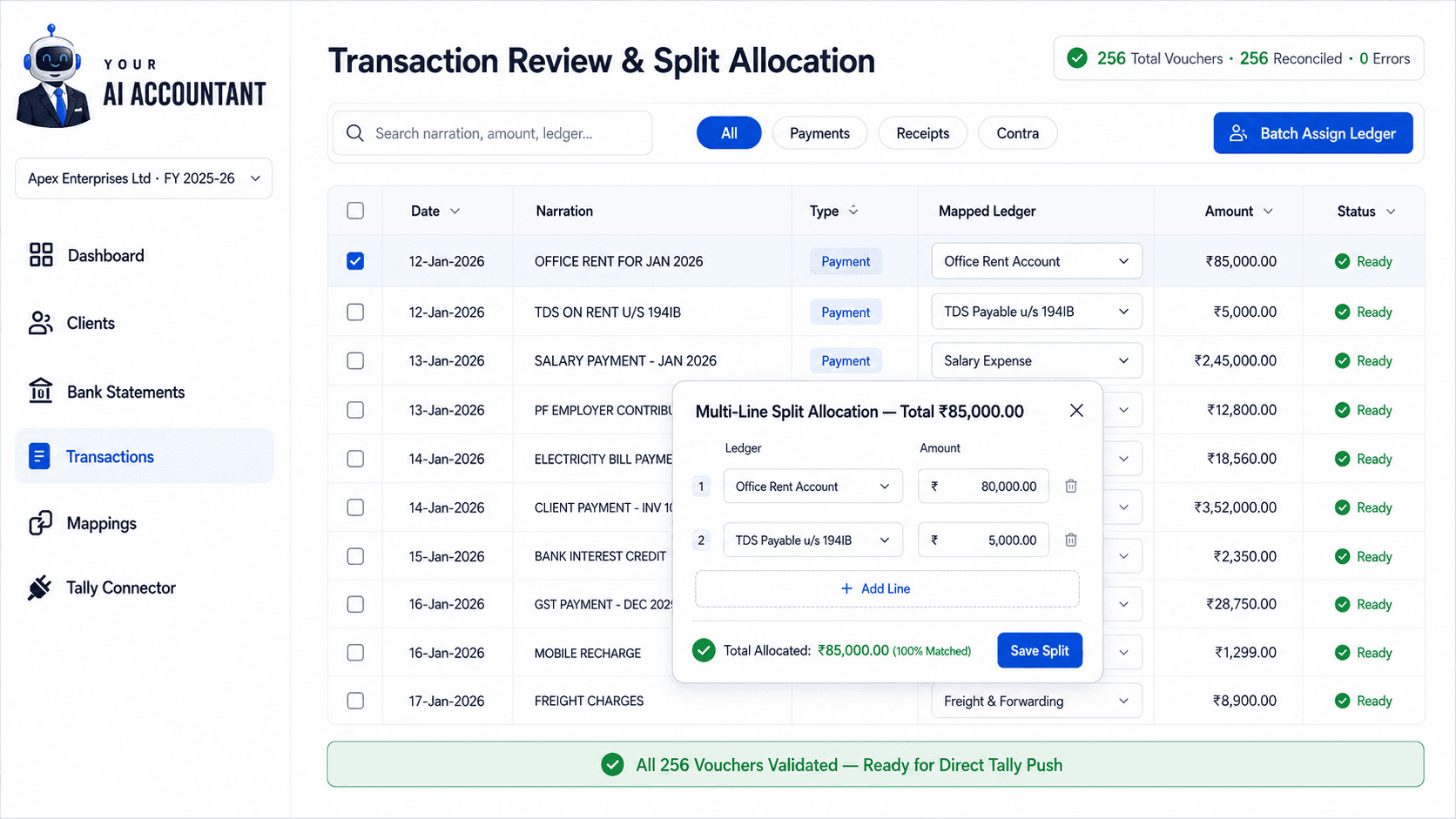
STEP 04 — REVIEW & SPLIT ALLOCATION
Review, Edit & Split Vouchers
Full review control before anything reaches Tally. Search ledgers, batch-assign categories, and split multi-head transactions.
- High-speed tabular review designed for fast keyboard navigation and instant search.
- Multi-line split allocation for transactions covering multiple expense heads, TDS, and GST.
- Batch category updates: select matching transactions and reassign them in two clicks.
- Pre-push integrity checks verify debit/credit balance, voucher dates, and mandatory fields.
STEP 05 — TALLY PUSH & 1-CLICK UNDO
Push to Tally, and Unlock to Re-push
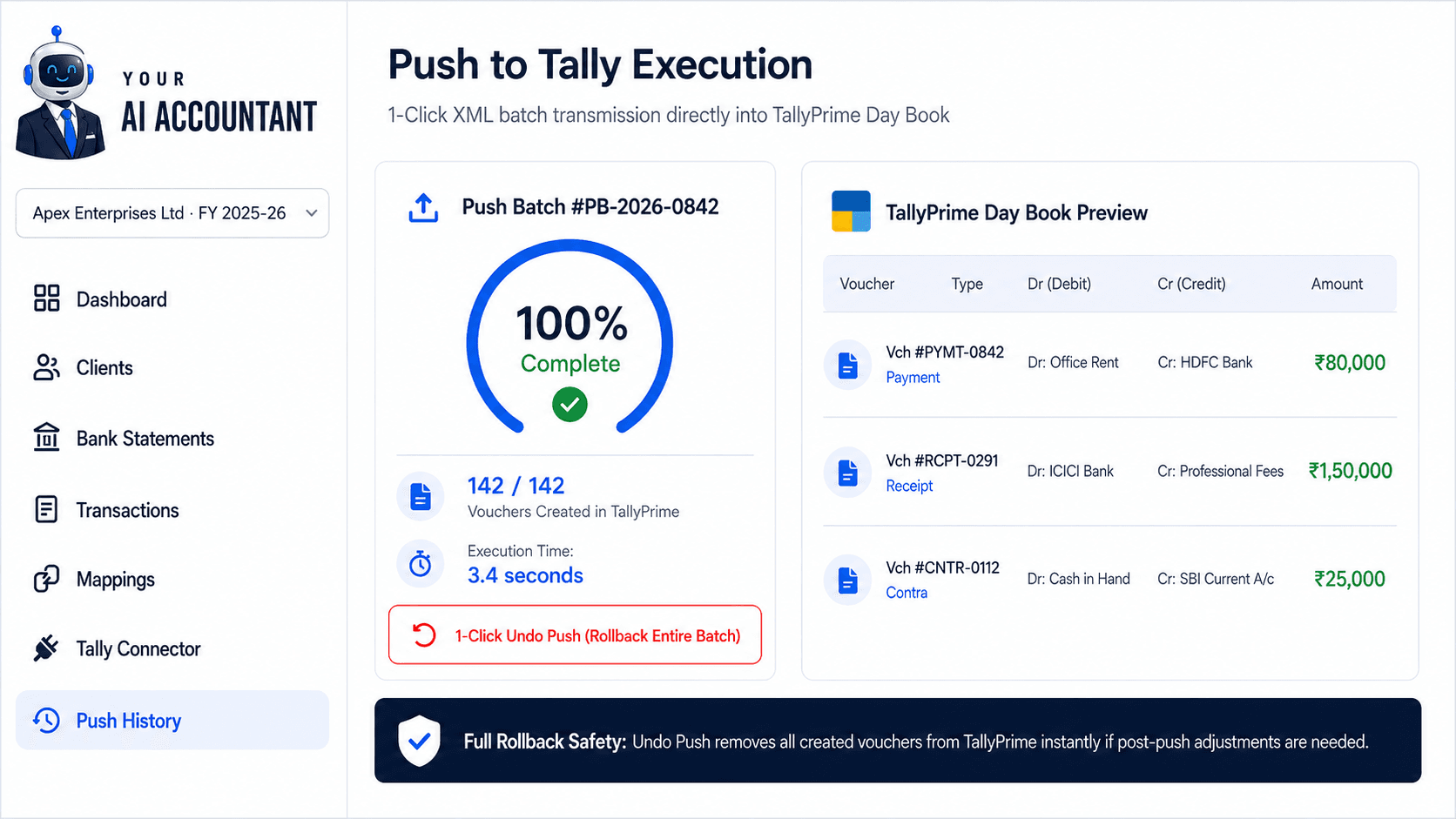
Push hundreds of approved vouchers to Tally in seconds.
- 1-Click batch push transmits approved XML vouchers directly into TallyPrime or Tally.ERP 9.
- Vouchers appear immediately in Tally's Day Book with exact dates, narrations, and reference numbers.
- Transparent push history log records every batch for full audit traceability.
- Unmark Synced unlocks the rows here for correction — it does not delete anything from Tally.